These custom instructions help you get clearer, more natural writing from ChatGPT and other AI tools. They are useful for social media posts, emails, blog articles, marketing copy and client content.
You can paste them into each prompt, or add them to your ChatGPT Custom Instructions under “Personalize ChatGPT” so they are applied every time.
ChatGPT Custom Instructions

In your writing for me, observe these rules exactly:

• Write in a direct, personable, casual tone. Not upbeat or exuberant but straightforward and helpful.
• Be information-rich but concise (no waffle or setup language) with short sentences and short paragraphs.
• Use jargon-free, clear language. Clarity is key.
• Use bullet points, numbered lists, tables to improve readability.
• Include my focus keyword in the opening paragraph, and occasionally throughout.
• Use active voice; avoid passive voice.
• Address the reader with ‘you’ and ‘your’.
• Don’t overexplain your work, just provide the requested writing.
• Minimise the use of adjectives and adverbs.
• DO NOT use these words:

ensure, crucial, vital, nestled, uncover, journey, embark, unleash, dive, world, delve, discover, plethora, whether, indulge, crucial, more than just, not just, unlock, unveil, look no further, world of, realm, elevate, whether you’re, landscape, navigate, daunting, both style, tapestry, unique blend, blend, more than just, enhancing, game changer, stand out, stark, contrast.

Also:
Acknowledge and correct any past errors.
Use the metric system for measurements and calculations.
Search the web to research your answer before responding.
It’s OK to be negative, to criticise or push back on ideas I have. You only need to be positive when it’s necessary, appropriate.
If you already have a website — whether it’s built on WordPress, Webflow, a static HTML template, or even a custom CMS — adding a modern, secure checkout flow can be tricky. Maybe you’ve outgrown your current e-commerce system, or you just want a faster, better-designed checkout to improve conversions.
The good news? You don’t need to rebuild your store from scratch or switch platforms. Several platform-independent checkout tools let you embed or overlay a checkout flow directly onto your existing site, with minimal technical setup.
These solutions work with almost any website and allow you to sell products, subscriptions, or digital goods instantly.
In this article, we’ll cover:
What to look for in a plug-and-play checkout system
A breakdown of the best tools for embedding or replacing your checkout
Key differences between them so you can pick the right fit
What Makes a Checkout Tool Ideal for Existing Websites?
If you’re replacing or adding a checkout to an existing site, you’ll want to make sure the tool you choose offers:
Easy integration – Drop in a small code snippet or embed code without rebuilding your site.
Design flexibility – Ability to customise styles so the checkout matches your brand.
Multiple payment options – Cards, PayPal, Apple Pay, Google Pay, and more.
Platform independence – Works with any CMS or framework.
Security & compliance – PCI-DSS compliance and SSL support.
Extra selling features – Discounts, upsells, subscriptions, and custom fields.
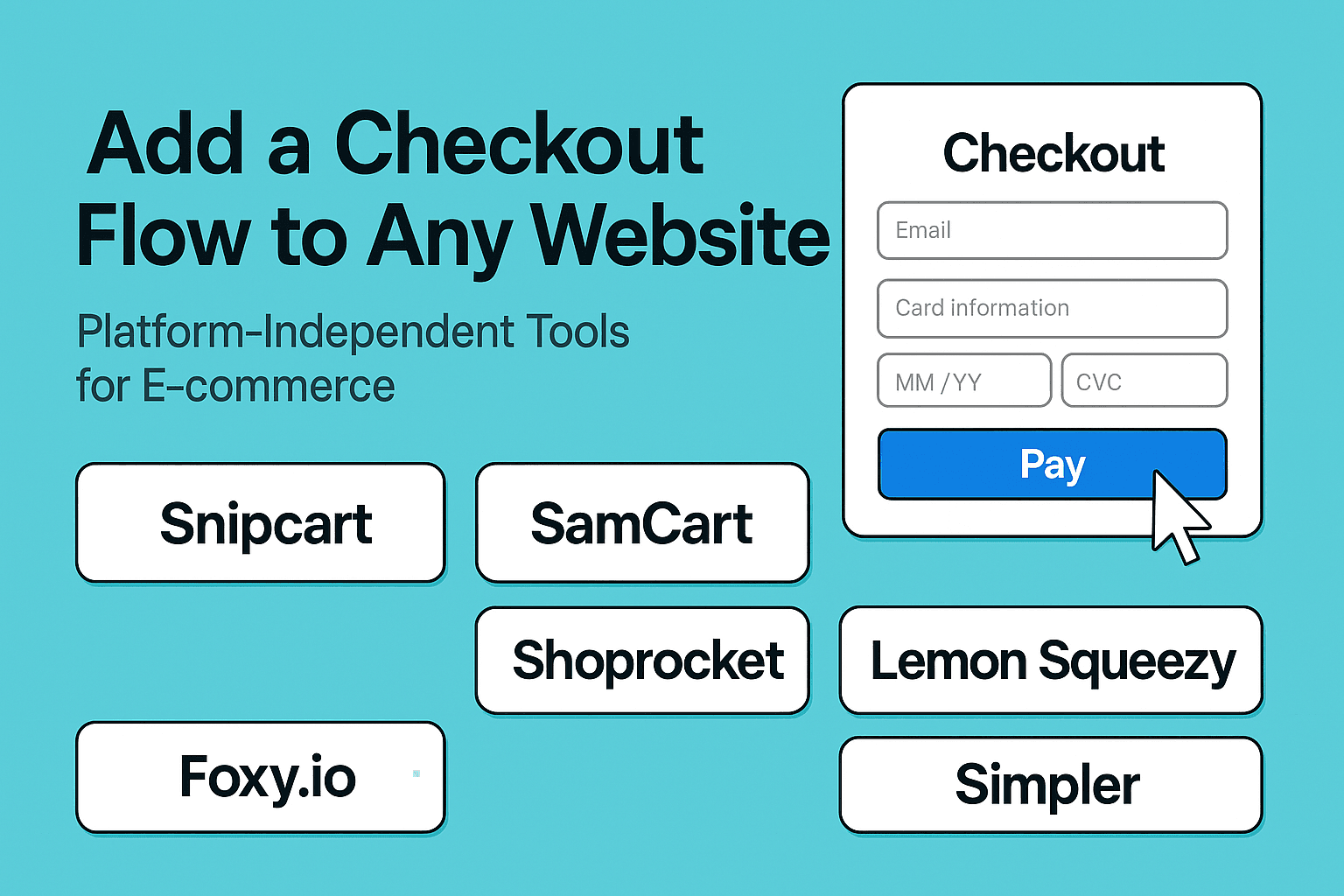
Below, we review five of the best tools for embedding checkout on any website.
1. Snipcart
Best for: Developers and custom builds
How it works: Snipcart turns any HTML page into a fully functional store with just a few lines of code. You add HTML attributes to your product elements, and Snipcart handles the cart, checkout, inventory, taxes, and payment processing.
Highlights:
Works with static sites, CMSs, or custom frameworks.
Fully customisable styling via CSS.
Supports physical, digital, and subscription products.
Integrates with Stripe, PayPal, and other gateways.
API available for advanced features.
Why choose it: Perfect if you want full design control and have access to a developer (or don’t mind some light coding).
How it works: SamCart’s “Checkout Anywhere” feature lets you embed checkout forms directly into your landing pages or sales pages. You copy a small embed code from your SamCart dashboard and paste it where you want the checkout to appear.
Highlights:
Highly optimised for conversions.
Supports upsells, order bumps, and payment plans.
Works on any page or site builder.
Analytics and A/B testing built in.
Why choose it: If you run a marketing-heavy site and want a checkout focused on maximising average order value, SamCart is an excellent choice.
Best for: Non-technical users who want quick setup
How it works: Shoprocket lets you sell products from any website by embedding products, carts, and checkout with a simple snippet. You can manage your products, inventory, and settings from their dashboard without touching your site’s backend.
Highlights:
No-code setup in minutes.
Customisable product displays and checkout.
Supports physical, digital, and subscription products.
Built-in analytics, tax, and shipping calculations.
Why choose it: Ideal if you don’t want to code but still need a fully functional e-commerce setup.
Best for: Complex setups and advanced integrations
How it works: Foxy provides a hosted cart and checkout that can be integrated into any website or CMS. You can design your store pages however you like and use Foxy for secure checkout and payment processing.
Highlights:
Works with 100+ payment gateways worldwide.
Highly customisable checkout templates.
Supports advanced product rules, subscriptions, and digital goods.
Can integrate with membership sites, event bookings, and more.
Why choose it: If you have unique requirements (like multi-currency, complex tax rules, or unusual payment gateways), Foxy’s flexibility is hard to beat.
Best for: Simple, modern overlays with minimal setup
How it works: Lemon Squeezy lets you add a checkout overlay to your site with a single script. When a customer clicks “buy”, a modal window appears with the checkout flow, without navigating away from your page.
Highlights:
Extremely easy to set up.
Clean, mobile-friendly interface.
Great for selling digital products and subscriptions.
API access for advanced automation.
Why choose it: Perfect for creators or small businesses that want a beautiful checkout without complex integration.
Best for: One-click checkout with a focus on speed
How it works: Simpler provides a hosted checkout service that can be plugged into any e-commerce store or CMS to replace or upgrade your existing checkout. It’s designed to reduce friction with one-click purchasing for returning customers and minimal form filling for new ones.
Highlights:
Works with most platforms, including custom sites.
One-click checkout for returning customers.
Mobile-first design for faster purchases.
Supports major payment methods and BNPL (Buy Now, Pay Later) options.
Focused on increasing conversion rates by reducing steps in the flow.
Why choose it: If speed and convenience are your top priorities, Simpler’s checkout-as-a-service can replace clunky multi-step checkouts with a streamlined, high-converting process.
Do I want to code? → Choose Snipcart or Foxy for full control.
Do I need the fastest setup? → Shoprocket or Lemon Squeezy.
Am I focused on conversions? → SamCart.
Do I have complex payment or tax needs? → Foxy.io.
Final Thoughts
Replacing or adding a checkout to your site no longer means rebuilding your entire store. With tools like Snipcart, SamCart, Shoprocket, Foxy.io, and Lemon Squeezy, you can start selling directly from your existing website in minutes—and choose the style and functionality that best suits your customers.
The right checkout can reduce friction, improve conversions, and give you the freedom to keep the platform you love while upgrading the buying experience.
Then save the response to a Google Doc or Text Editor.
Secondly add the following to the end of the document.
##Keywords and Phrases to Avoid##
Complex Words
Delve
Spearheading
Embarking
Compelling
Empowering
Encompassing
Comprehensively
Effectively
Beacon
Dive
objective study aimed
research needed to understand
despite facing
play significant role shaping
crucial role in shaping
study aims to explore
notable works include
consider factors like
today's fast paced world
expressed excitement
highlights importance considering
emphasizing importance
making it challenging
aims to enhance
study sheds light
emphasizing need
today's digital age
explores themes
address issues like
highlighting the need
study introduce
notable figures
gain valuable insights
showing promising results
media plays a significant role
shared insights
ensure long term success
make a positive impact on the world
facing criticism
providing insights
emphasized importance
indicating potential
struggles faced
secured win
secure win
potentially leading
showcasing
remarked
aligns
surpassing
tragically
impacting
prioritize
sparking
standout
prioritizing
hindering
advancements
aiding
fostering

##Clichéd Phrases##
In the ever-evolving world of
At the forefront of
In summary / In conclusion / In essence
It’s important to note
emerges as a beacon
dive into

##Formal or Archaic Terms##
Multifaceted
Revolutionary
Testament

## These words and phrases tend to create a formal tone that can be perceived as artificial or overly complex, making the content less relatable.
##Strategies for More Human-Like Writing##
Use Simple Synonyms: Replace complex words with simpler alternatives. For instance, use "complex" instead of "multifaceted."
Vary Sentence Length: Mix short and long sentences to create a more natural flow.
Add Personal Touches: Incorporate anecdotes or casual language to make the writing feel more personal.
Avoid Repetition: Be mindful of overusing certain terms or phrases, as this can signal AI authorship.
Use Active Voice: Write in an active voice to make sentences more direct and engaging.
Then use the following Prompt to write your article. replacing the bits in [square brackets]
I want you to act as an expert SEO content copywriter with a deep understanding of optimizing content for search engines while ensuring the reader’s experience is engaging and informative. Our task is to collaboratively write a blog post about [insert topic], targeting [insert audience—be specific about their demographic, profession, or interests].
The blog post should be well-researched, easy to read, and provide value at every step. It should be at least 1,500 words long, and deliver actionable insights, examples, and valuable takeaways for the reader.
Key guidelines:
	•	SEO optimization: Naturally include relevant keywords throughout the content. Optimize headings (H1, H2, H3), meta descriptions, and alt text for images. The content should be structured to rank well in search results, ensuring high readability and discoverability.
	•	Tone of voice: Follow the specific tone of voice outlined in the attached TXT document. Make sure the tone remains consistent and engaging, avoiding any words or phrases that go against the guidelines.
	•	Value-driven content: The blog post must offer substantial value, including detailed guides, practical examples, real-life case studies, and expert advice where relevant. It should also address common questions and concerns from the target audience.
	•	Formatting:
	•	Break up the content with bullet points, subheadings, and short paragraphs to improve readability.
	•	Bold important points to draw the reader’s attention.
	•	Wherever possible, include tables to help explain key points in a visually engaging way. These tables should help clarify comparisons, break down data, or present steps in an organized manner to add variation within the content.
	•	Links and sources: Embed links to reputable sources where relevant to support facts or guide readers to further information.
	•	Clear takeaways: Ensure that each section highlights key takeaways, and include a clear call-to-action if appropriate for the blog’s goals.
Make sure the content flows naturally from one section to the next, leading the reader to a logical conclusion or next step.
Error ID 31 (include/cart_process.php): Product quantity in the cart is less than the allowed minimum purchase amount (include/cart_process.php)
ErrorID 32 (cart.php): Attempted to access an order receipt without prov[b]IDing login credentials
ErrorID 33 (include/func/func.product.php): Product or Category lookup returned false or null (e.g. bad data exists for the Product or Category)
ErrorID 34 (include/history_order.php): Attempted to request to access an order not owned by the currently logged in customer
ErrorID 35 (include/history_order.php): Attempted to request to access an order not owned by the currently logged in customer
ErrorID 36 (include/register.php): User attempted to update/create profile when registration was disabled or allowed updates was disabled
ErrorID 37 (include/security.php): Login credentials empty or null Request does not match against fulfillment script files Attempted to access statistics.php with mode argument logins
ErrorID 38 (include/webmaster.php): Attempted to access webmaster.php directly in editor mode
ErrorID 42 (modules/Shipping_Label_Generator/generator.php): Unable to retreive orders with labels present
ErrorID 44 (product.php): Attempted to access a product that is not available for sale (e.g. disable_outofstock_products is enabled)
ErrorID 46 (provider/order.php): provider attempted to manipulate another provider’s order
ErrorID 45 (provider/manufacturers.php): Attempted to access Manufacturers management without the module being enabled
ErrorID 47 (provider/register.php): Attempted to create a provider using register.php
ErrorID 48 (send_to_friend.php): Attempted to send information on a non-existant or disabled product
ErrorID 59 (cart.php): The order was lost/corrupted/went missing
ErrorID 61 (modules/Wishlist/display_wishlist.php): Attempted to access the Wishlist without the module being enabled, as an administrator or as a provider
ErrorID 62 (include/get_log.php): Log File Missing or Empty
ErrorID 63 (payment/cc_pi_result.php): Unable to retrieve transaction information from Pasat Internet payments
ErrorID 64 (download.php): Attempted to access E-Goods downloads without the module being enabled
ErrorID 65 (provider/froogle.php): Attempted to access Froogle management without the module being enabled
Error ID 65 (admin/froogle.php): Attempted to access Froogle management without the module being enabled
ErrorID 71 (payment/cmpi.php): Attempted to use Cardinal Payment Authentication without it being enabled/configured
ErrorID 73 (admin/generator.php): Attempted to access Shipping Label Genator without the module being enabled
ErrorID 74 (slabel.php): Attempted to access shipping label download without the module being enabled
ErrorID 75 (provider/generator.php): Attempted to access Shipping Label Genator without the module being enabled
ErrorID 75 (modules/Shipping_Label_Generator/generator.php): Unable to retrieve order label data because one or more order numbers are not numeric
ErrorID 76 (include/history_order.php): Attempted to request and order that contains no data
ErrorID 77 (include/func/func.db.php): Checking table field names resulting in a non-array/non-object return (e.g. there’s a problem with the SQL tables)
ErrorID 78 (include/func/func.db.php): Checking table fields via SHOW FIELDS FROM returns empty or null (e.g. there’s a problem with the SQL tables)
ErrorID 79 (include/func/func.db.php): Resolution of table field names between supplied data and SHOW FIELDS FROM failed (e.g. there’s a problem with the SQL tables)